VariantStudio Complete Guide: Every Tool Explained for Meesho Sellers (2026)
By Divyanshu Jain · 12 March 2026
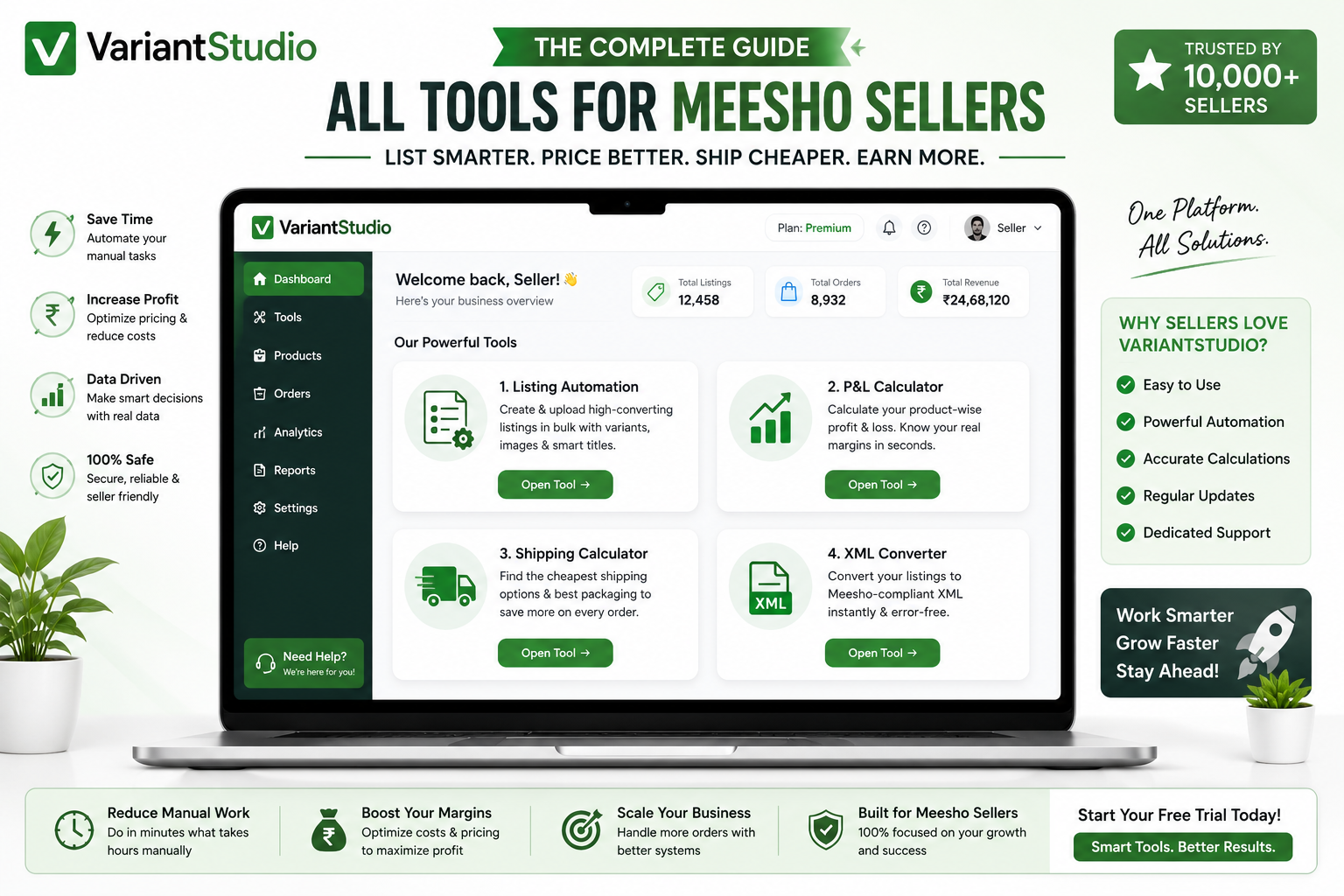
Key Takeaways
- VariantStudio is an all-in-one automation platform for Meesho sellers — listing, P&L tracking, shipping optimization, and GST filing
- 4 core tools: Listing Automation, Profit & Loss Dashboard, Shipping Calculator, and Tally XML Converter
- Saves 15–20 hours/month for a typical seller doing 200+ orders
- Works with your existing Meesho Supplier Panel — no migration needed
- ₹249/month for all tools (first 3 listings free, no credit card required)
What Is VariantStudio?
VariantStudio is a SaaS platform built specifically for Meesho sellers who want to scale without drowning in manual work. It automates the four most time-consuming aspects of Meesho selling: product listing, profit tracking, shipping optimization, and GST compliance.
Unlike generic e-commerce tools that try to serve every platform, VariantStudio is purpose-built for Meesho's unique ecosystem — its commission structure, shipping model, supplier panel interface, and seller workflows.
Tool 1: Listing Automation
URL: variantstudio.in/tools/listing-automation
What It Does
Converts product images into complete, SEO-optimized Meesho listings in under 2 minutes. AI analyzes your product photo and generates titles, descriptions, attributes, and variant combinations — then uploads directly to your Meesho Supplier Panel.
Key Features
- AI Title Generation: Creates keyword-rich titles that rank higher in Meesho search. Uses proven patterns from top-performing listings in your category.
- Smart Description Writing: Generates detailed product descriptions with features, materials, care instructions, and use cases — all from image analysis.
- Auto-Attribute Detection: Identifies color, pattern, material, occasion, and other attributes from the product image. Pre-fills all mandatory Meesho fields.
- Variant Generation: Creates all size/color combinations automatically with per-variant weight and shipping estimates.
- Duplicate Detection: Checks your product against Meesho's catalog before upload — prevents wasted time on listings that will be rejected.
- Bulk Upload: List 50–100 products in one session instead of one at a time.
Time Saved
Manual listing: 15–25 minutes per product. With VariantStudio: 1–2 minutes per product. For a seller listing 30 new products/month, that's 7–12 hours saved monthly.
How to Use
- Connect your Meesho account in Settings (one-time setup)
- Upload product images (drag and drop)
- Review AI-generated content (edit if needed)
- Set pricing and generate variants
- Click "Upload to Meesho" — done
Detailed walkthrough: Listing Automation Guide
Tool 2: Profit & Loss Dashboard
URL: variantstudio.in/tools/profit-loss
What It Does
Shows your real Meesho profit — not the inflated number you get from simple revenue minus product cost. Accounts for all 7 cost components (commission, shipping, GST, packaging, RTO, returns, product cost) to show true per-order and per-SKU margins.
Key Features
- Per-Order Profit: See exact profit for every delivered order after all deductions
- Per-SKU Ranking: Identify your most and least profitable products instantly
- RTO Cost Tracking: Amortized RTO losses shown as a visible line item — not hidden
- Monthly/Quarterly/Yearly Views: Track margin trends over time
- Settlement Reconciliation: Cross-reference Meesho payments against your order records
- Export to Excel: Download reports for your CA or personal records
Time Saved
Manual P&L tracking in spreadsheets: 4–8 hours/month. With VariantStudio: 5 minutes (upload reports, view dashboard). Saves 4–8 hours monthly.
How to Use
- Download Order Report and Payment Report from Meesho Supplier Panel
- Upload both Excel files to the P&L Dashboard
- Enter product costs per SKU (one-time setup, saved for future months)
- View instant profit breakdown — per order, per SKU, per month
Detailed walkthrough: P&L Tracking Guide
Tool 3: Shipping Calculator
URL: variantstudio.in/tools/shipping-calculator
What It Does
Calculates exact Meesho shipping charges before you list a product. Shows costs by weight slab and delivery zone, plus optimization suggestions to reduce shipping expenses.
Key Features
- Weight-Based Calculation: Enter product + packaging weight, get exact shipping cost per zone
- Zone Breakdown: See local, zonal, and national delivery costs separately
- Slab Boundary Alerts: Warns when you're close to a weight slab boundary (e.g., 490g vs 510g)
- Packaging Suggestions: Recommends lighter packaging options to drop to a cheaper slab
- Volumetric Weight: Calculates dimensional weight for bulky-but-light products
- Profit Impact: Shows how shipping cost affects your margin at different price points
Time Saved
Prevents costly mistakes — one wrong weight declaration can cost ₹15–36 per order. At 200 orders/month, that's up to ₹7,200/month in avoidable shipping overcharges.
How to Use
- Enter product weight (grams)
- Add packaging weight
- Enter product dimensions (for volumetric calculation)
- View shipping costs across all zones and slabs
- See optimization suggestions
Detailed walkthrough: Shipping Charges Guide
Tool 4: Tally XML Converter
URL: variantstudio.in/tools/tally-converter
What It Does
Converts your Meesho sales reports (4 Excel files) into a single Tally-compatible XML file for GST filing. Supports both Tally Prime and Tally ERP 9. Handles CGST, SGST, IGST classification automatically based on buyer state.
Key Features
- 4-Report Processing: Upload TCS Sales, TCS Returns, Tax Detail, and Order Report — get one XML file
- Auto Tax Classification: Determines intra-state (CGST+SGST) vs inter-state (IGST) automatically
- Two Modes: Full (per-SKU vouchers) or Simple (state-wise consolidated)
- Tally Prime + ERP 9: Generates correct XML format for both versions
- Credit Notes: Returns automatically create credit note vouchers
- HSN Mapping: Preserves HSN codes from Meesho reports for GSTR-1 filing
Time Saved
Manual Tally entry: 4–8 hours/month for 200+ orders. With VariantStudio: under 5 minutes. Saves 4–8 hours monthly plus eliminates data entry errors that cause GST notices.
How to Use
- Download 4 reports from Meesho Supplier Panel (same date range)
- Upload all 4 files to the Tally Converter
- Select mode (Full or Simple), company name, and Tally version
- Click "Generate XML" — download in 10–60 seconds
- Import XML into Tally (Alt+Y → Import → Vouchers)
Detailed walkthrough: Tally XML Conversion Guide
Getting Started: Setup in 5 Minutes
Step 1: Create Account
Go to variantstudio.in and sign in with Google. No separate registration form — one click and you're in.
Step 2: Connect Meesho Account
Open Settings → Meesho Connection. Enter your Meesho Supplier Panel session credentials. This enables the Listing Automation tool to upload directly to your panel.
Step 3: Start Using Tools
All 4 tools are immediately available. The Shipping Calculator and P&L Dashboard work without Meesho connection (they process uploaded files). Listing Automation requires the connection for direct upload.
Step 4: Upload Product Costs (for P&L)
In the P&L Dashboard, enter your purchase price per SKU. This is a one-time setup — costs are saved and reused every month until you update them.
Pricing
| Plan | Price | Includes |
|---|---|---|
| Free Trial | ₹0 | 3 AI listings, unlimited shipping calculations, P&L for 1 month |
| Monthly | ₹249/month | All tools, unlimited usage, priority support |
| Quarterly | ₹599/quarter (₹200/month) | All tools + 20% savings |
| Annual | ₹1,999/year (₹167/month) | All tools + 33% savings |
No hidden fees. No per-listing charges. No feature gating between plans. Every plan includes every tool.
Who Is VariantStudio For?
Ideal Users
- Growing sellers (100–1,000 orders/month): Manual processes are becoming a bottleneck
- Multi-SKU sellers (30+ products): Need per-SKU profit visibility
- GST-registered sellers: Monthly filing is mandatory and time-consuming
- Sellers scaling catalog: Listing 20+ new products per month
Not Ideal For
- Brand new sellers (<10 orders/month): Manual processes are manageable at this scale
- Single-product sellers: Limited benefit from automation tools
- Non-Meesho sellers: Tools are Meesho-specific (Flipkart/Amazon support planned)
Total Time & Money Saved
For a typical seller doing 200 orders/month with 40 active SKUs:
| Activity | Without VariantStudio | With VariantStudio | Monthly Savings |
|---|---|---|---|
| Listing new products (20/month) | 5–8 hours | 40 minutes | 5–7 hours |
| P&L tracking & analysis | 4–8 hours | 10 minutes | 4–8 hours |
| Tally/GST data entry | 4–8 hours | 5 minutes | 4–8 hours |
| Shipping cost research | 1–2 hours | 5 minutes | 1–2 hours |
| Total | 14–26 hours | ~1 hour | 13–25 hours |
At ₹249/month, that's less than ₹10/hour for the time saved. If your time is worth even ₹100/hour, the ROI is 10–25×.
Frequently Asked Questions
Q: Is my Meesho account data safe?
Yes. VariantStudio stores only your session token (not password) encrypted on your device. We never access your Meesho account without your explicit action (clicking "Upload"). All data processing happens in your browser or on secure servers — we don't store your sales data permanently.
Q: Can I use VariantStudio on mobile?
The web app works on mobile browsers but is optimized for desktop/laptop use. Product listing and P&L analysis are best done on a larger screen. The Shipping Calculator works well on mobile for quick checks.
Q: What if Meesho changes their interface?
We monitor Meesho's Supplier Panel for changes and update our integration within 24–48 hours of any interface update. If a temporary disruption occurs, you'll see a notification in the app.
Q: Can I cancel anytime?
Yes — no lock-in contracts. Cancel from Settings → Billing at any time. Your subscription remains active until the end of the paid period. All your data (product costs, historical P&L) is retained for 30 days after cancellation.
Q: Do you offer support?
Yes — in-app chat support during business hours (10 AM – 7 PM IST, Mon–Sat). Average response time: under 30 minutes. For urgent issues, email support@variantstudio.in.
Conclusion
VariantStudio replaces 15–25 hours of monthly manual work with under 1 hour of automated workflows. Every tool is designed for one purpose: helping Meesho sellers spend less time on operations and more time on growth.
Start free at variantstudio.in — 3 AI listings included, no credit card required. See the difference automation makes in your first session.
Last updated: May 2026. All features and pricing verified against current VariantStudio platform.