Meesho Listing Automation: How to List Products in Bulk Without Manual Entry
By Divyanshu Jain · 13 March 2026
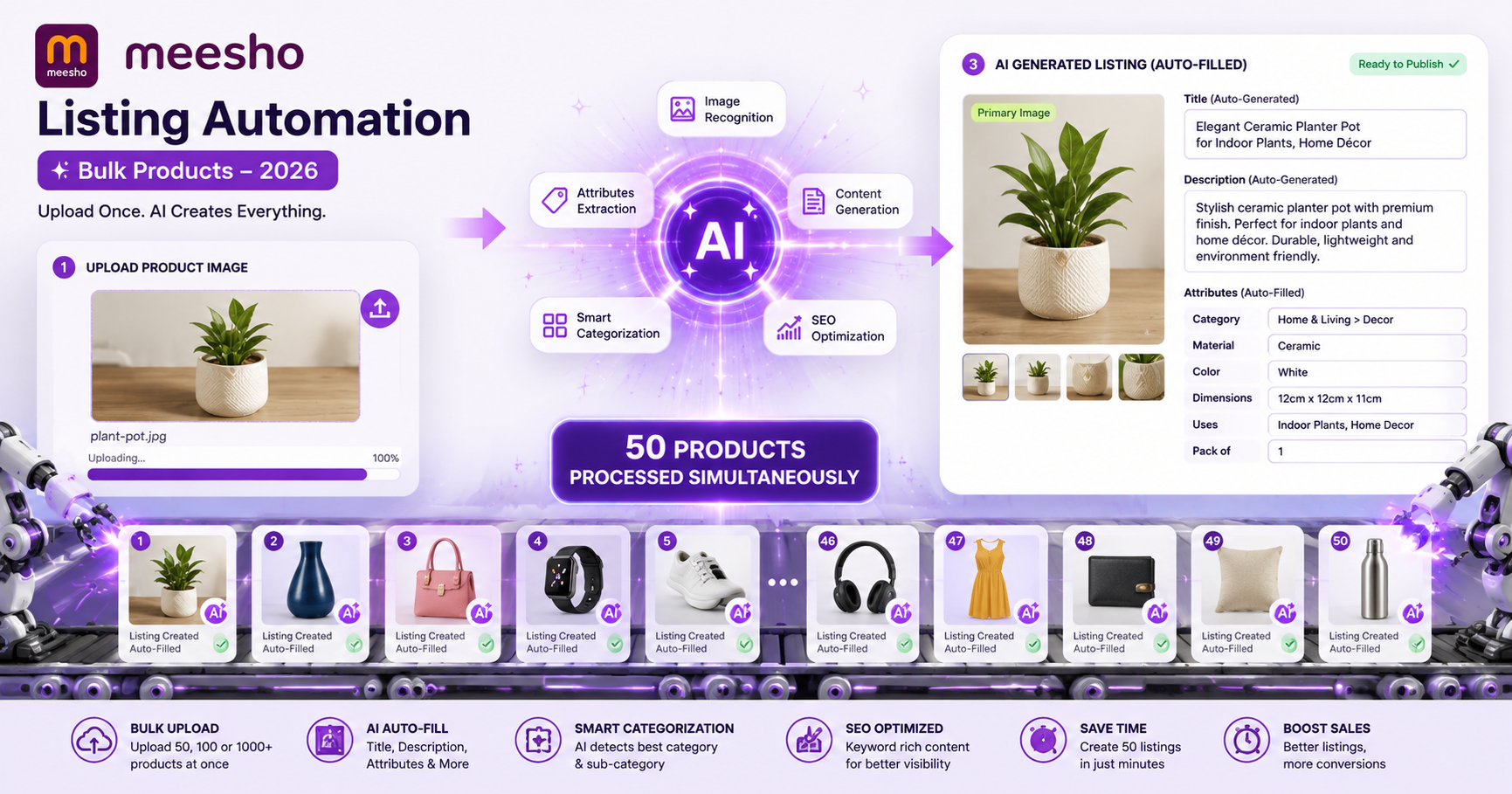
Key Takeaways
- Manual Meesho listing takes 15–25 minutes per product; automation reduces it to under 2 minutes
- Bulk listing eliminates repetitive data entry — upload 50–100 products in one session
- AI generates SEO-optimized titles, descriptions, and attributes from product images
- Built-in duplicate detection prevents wasted time on listings that will be rejected
- Start with the VariantStudio Listing Automation tool — free trial available
The Manual Listing Problem
Every Meesho seller knows the pain: you have 50 new products to list, and each one requires filling out 15–20 fields manually. Title, description, category, sub-category, brand, material, color, size, weight, dimensions, price, images — one by one, product by product.
Here's what manual listing actually costs:
| Task | Time per Product | For 50 Products |
|---|---|---|
| Category selection & attributes | 3 min | 2.5 hours |
| Writing title & description | 5 min | 4.2 hours |
| Image upload & ordering | 3 min | 2.5 hours |
| Pricing & shipping details | 2 min | 1.7 hours |
| Review & submit | 2 min | 1.7 hours |
| Total | 15 min | 12.5 hours |
That's 12+ hours of repetitive data entry — time you could spend sourcing better products, optimizing pricing, or handling customer queries. And this doesn't include the time wasted on listings that get rejected for duplicates or policy violations.
What Listing Automation Actually Does
The VariantStudio Listing Automation replaces manual entry with an AI-powered workflow:
Step 1: Upload Product Images
Drag and drop your product photos. The AI analyzes each image to detect:
- Product type and category
- Color, pattern, and material
- Key features visible in the image
- Suggested attributes (sleeve type, neck style, fit, etc.)
Step 2: AI Generates Listing Content
Based on image analysis, the system generates:
- SEO-optimized title: Includes high-search-volume keywords for your category
- Detailed description: Highlights features, material, care instructions, and use cases
- Attributes: Pre-filled based on image detection (editable if incorrect)
- Category suggestion: Recommends the best Meesho category for maximum visibility
Step 3: Set Pricing & Variants
Enter your cost price and desired margin. The tool calculates optimal selling price considering:
- Meesho commission for your category
- Estimated shipping based on weight
- GST implications
- Competitor pricing in the same category
Generate all size/color variants automatically — see our variant generation guide for details.
Step 4: Duplicate Check
Before uploading, the system checks your product against Meesho's existing catalog. Products flagged as potential duplicates are held back, saving you from rejection. Learn more in our duplicate detection guide.
Step 5: Bulk Upload to Meesho
All approved listings are uploaded to Meesho in one batch. You can review and edit any listing before final submission.
How the AI Title Generation Works
Meesho's search algorithm heavily weights the product title. A well-optimized title can mean the difference between page 1 and page 10 in search results.
The AI generates titles following Meesho's proven format:
[Brand/Generic] [Color] [Material] [Product Type] [Key Feature] [Occasion/Use]
Example transformations:
| What sellers typically write | What AI generates |
|---|---|
| "Blue kurti for women" | "Women Navy Blue Rayon A-Line Kurti Printed Casual Wear" |
| "Men's t-shirt" | "Men Black Cotton Round Neck T-Shirt Solid Half Sleeve Regular Fit" |
| "Phone cover" | "Samsung Galaxy S24 Silicone Back Cover Transparent Shockproof Slim Case" |
The AI-generated titles include more searchable keywords while staying within Meesho's character limits and style guidelines.
Bulk Listing Workflow: 50 Products in 30 Minutes
Here's the realistic workflow for listing 50 products with automation:
- Batch photography (separate session): Photograph all 50 products — 5 images each takes ~2 hours
- Upload all images (5 min): Drag and drop into VariantStudio
- Review AI suggestions (15 min): Check titles, descriptions, and categories. Edit any that need correction
- Set pricing (5 min): Enter cost prices, set margin targets. Tool calculates selling prices
- Generate variants (3 min): Select sizes and colors for each product
- Duplicate check (automatic, 2 min): System flags potential duplicates
- Submit batch (2 min): Upload all approved listings to Meesho
Total: ~30 minutes vs 12.5 hours manually. That's a 96% time reduction.
What Makes a Good Meesho Listing (Automation Handles This)
Title Optimization
- Include primary keyword (product type) within first 3 words
- Add color, material, and style as secondary keywords
- Include occasion/use case for long-tail search matches
- Stay under 100 characters (Meesho truncates longer titles in mobile view)
Description Best Practices
- First line: key selling point (what makes this product special)
- Bullet points for features (material, dimensions, care instructions)
- Include size/fit guidance to reduce returns
- Mention what's included in the package
- 300–500 words is optimal — enough for SEO, not overwhelming for buyers
Attribute Completeness
Meesho's algorithm favors listings with all attributes filled. The AI pre-fills:
- Fabric/Material
- Pattern (solid, printed, embroidered)
- Occasion (casual, formal, party, festive)
- Fit type (regular, slim, relaxed)
- Sleeve/length details
- Wash care
Connecting Your Meesho Account
VariantStudio connects to your Meesho Supplier Panel via session authentication:
- Log into your Meesho Supplier Panel in a browser
- In VariantStudio settings, enter your Meesho session credentials
- The tool uses your authenticated session to upload listings on your behalf
- All uploads appear in your Supplier Panel as if you listed them manually
Your credentials are stored locally and encrypted. VariantStudio never stores your Meesho password — only the session token that expires and refreshes automatically.
Handling Listing Rejections
Even with automation, some listings may be rejected by Meesho. Common reasons and how the tool helps:
| Rejection Reason | How Automation Prevents It |
|---|---|
| Duplicate product | Pre-upload duplicate detection flags matches |
| Image quality too low | Image validator checks resolution before upload |
| Prohibited keywords in title | AI avoids banned words (free shipping, COD, discount) |
| Wrong category selected | AI category suggestion based on image + attributes |
| Missing mandatory attributes | All required fields pre-filled by AI |
| Price below minimum threshold | Pricing calculator warns if below Meesho minimums |
Automation vs Manual: Real Numbers
| Metric | Manual Listing | VariantStudio Automation |
|---|---|---|
| Time per product | 15–25 min | 1–2 min |
| Products per hour | 3–4 | 30–50 |
| Rejection rate | 15–30% | 3–5% |
| Title SEO quality | Low (generic) | High (keyword-optimized) |
| Attribute completeness | 60–70% | 95–100% |
| Variant generation | Manual (7 min each) | Automatic (all at once) |
| Cost | Free (but time-expensive) | ₹249/month (all tools included) |
For a detailed time and cost comparison across all Meesho management tasks, see our Manual vs Automated comparison guide.
Frequently Asked Questions
Q: Does automation violate Meesho's terms of service?
No. VariantStudio uses the same Supplier Panel interface that you use manually. It fills forms and uploads images through your authenticated session — exactly as you would, just faster. Meesho doesn't prohibit tools that help sellers list products.
Q: Can I edit AI-generated content before uploading?
Yes, always. The AI generates a first draft that you review and modify. Think of it as a smart assistant that does 90% of the work — you handle the final 10% quality check.
Q: What if the AI gets the category wrong?
The AI suggests a category based on image analysis, but you can override it. For ambiguous products (e.g., a kurta that could be "ethnic wear" or "casual wear"), you choose the final category. The suggestion is right ~85% of the time.
Q: How many products can I list per day with automation?
VariantStudio doesn't impose limits. However, Meesho may throttle uploads if you submit hundreds in a very short time. A practical limit is 100–200 listings per day, uploaded in batches of 20–30 with short gaps between batches.
Q: Does it work for all Meesho categories?
Yes — fashion, home & kitchen, electronics, beauty, and all other Meesho categories are supported. The AI model is trained on Meesho-specific category structures and attribute requirements.
Getting Started
- Sign up at variantstudio.in (Google login)
- Connect your Meesho Supplier Panel credentials in Settings
- Go to Listing Automation
- Upload your first product image and watch the AI generate your listing
- Review, adjust pricing, and upload to Meesho
First 3 listings are free — no credit card required. See the full platform guide in our VariantStudio Complete Guide.
Last updated: May 2026. Listing workflow and Meesho integration verified against current Supplier Panel interface.