How to Convert Meesho Sales to Tally XML for GST Filing (2026 Guide)
By Divyanshu Jain · 2 March 2026
Key Takeaways
- Meesho sellers must file GSTR-1 (outward supplies) and GSTR-3B (summary return) monthly or quarterly
- You need 4 Meesho Excel reports: TCS Sales, TCS Returns, Tax Detail, and Order Report
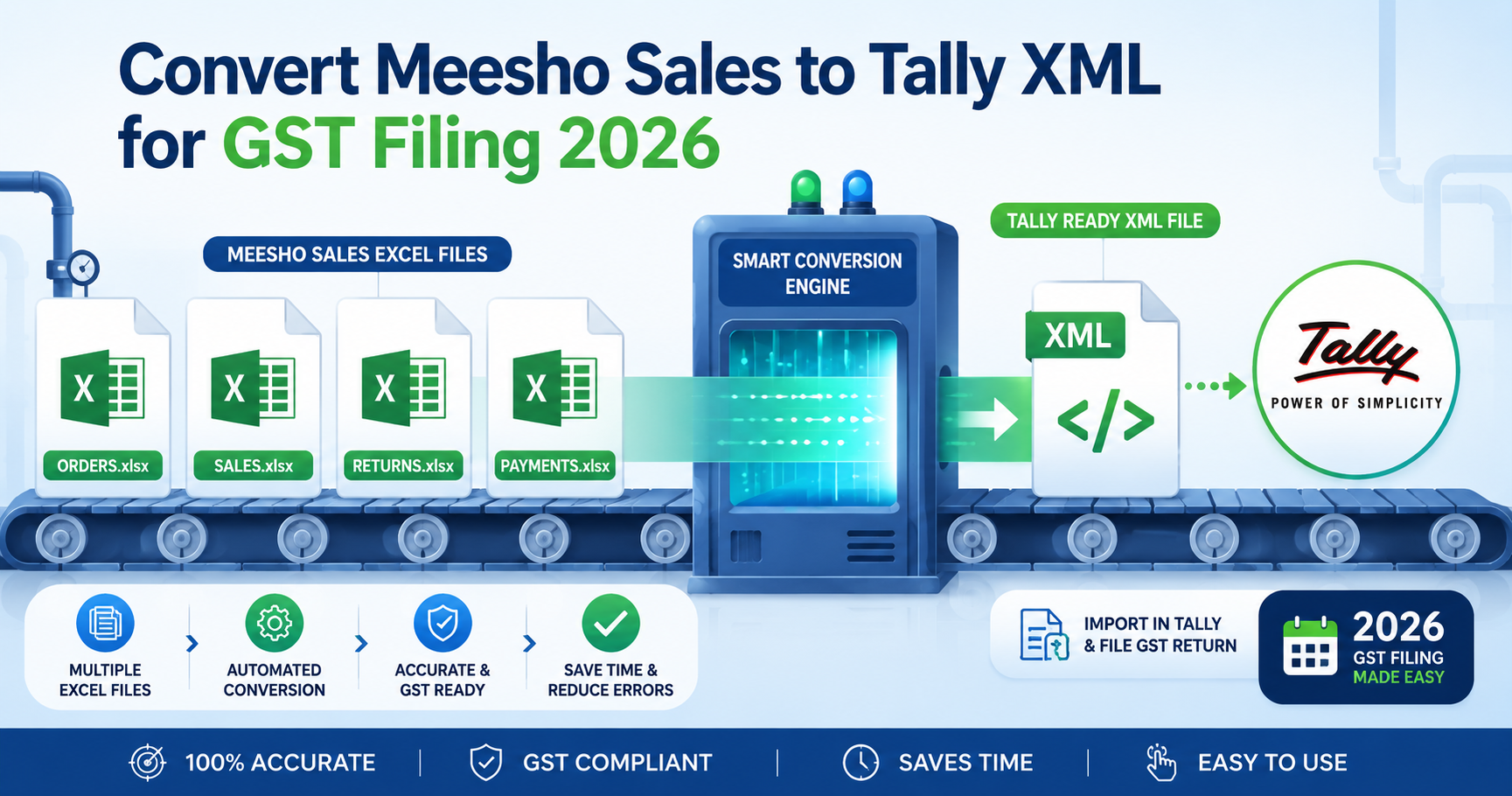
- VariantStudio converts all 4 reports into one Tally-compatible XML file in under 60 seconds
- Supports both Tally Prime and Tally ERP 9 import formats
- Two modes: Full (SKU-level vouchers) and Simple (state-wise consolidated vouchers)
Why Meesho Sellers Struggle with GST Filing
Every Meesho seller with GST registration must file returns — but Meesho doesn't provide data in a format that accounting software can directly import. You get Excel spreadsheets with raw transaction data, and your CA or accountant expects Tally entries.
The manual process looks like this:
- Download 4 separate Excel reports from Meesho Supplier Panel
- Manually match orders across reports (TCS, returns, tax breakdowns)
- Calculate CGST, SGST, and IGST for each transaction based on buyer state
- Create individual voucher entries in Tally — one per order or one per state
- Reconcile totals against Meesho's payment settlement
For a seller doing 200+ orders/month, this takes 4–8 hours of manual data entry. One mistake means GST mismatch notices from the department. And if you're filing quarterly, you're dealing with 600+ transactions at once.
The VariantStudio Tally XML Converter automates this entire process — upload your 4 Excel files, get one Tally-ready XML file in under 60 seconds.
What Reports You Need from Meesho
Before converting, download these 4 reports from your Meesho Supplier Panel:
1. TCS Sales Report
Path: Supplier Panel → Reports → TCS Sales Report
Contains: All delivered orders with TCS (Tax Collected at Source) details. This is your primary sales data for GSTR-1.
Key columns: Order ID, Product Name, Selling Price, TCS Amount, Buyer State, Delivery Date
2. TCS Returns Report
Path: Supplier Panel → Reports → TCS Returns Report
Contains: All returned/cancelled orders where TCS needs to be reversed. These create credit notes in Tally.
Key columns: Original Order ID, Return Date, Refund Amount, TCS Reversal
3. Tax Detail Report
Path: Supplier Panel → Reports → Tax Detail Report
Contains: CGST, SGST, IGST breakdowns for each transaction. Essential for correct tax ledger entries.
Key columns: Order ID, CGST Rate, CGST Amount, SGST Rate, SGST Amount, IGST Rate, IGST Amount, HSN Code
4. Order Report
Path: Supplier Panel → Reports → Order Report
Contains: Complete order details including shipping, commission, and net payable. Used for reconciliation.
Key columns: Order ID, SKU, Quantity, Shipping Charge, Commission, Payment Status
Important: Download all 4 reports for the same date range (the month or quarter you're filing for). Mismatched date ranges will cause reconciliation errors.
Step-by-Step: Converting Meesho Reports to Tally XML
Step 1: Upload Your Reports
Go to VariantStudio Tally Converter and upload all 4 Excel files. The tool auto-detects which report is which based on column headers — no need to label them.
Step 2: Choose Your Mode
Full Mode (Recommended for detailed tracking):
- Creates one voucher per order/SKU
- Gives you SKU-level visibility in Tally
- Best for sellers who want detailed P&L per product
- Generates more vouchers (one per transaction)
Simple Mode (Recommended for quick filing):
- Consolidates transactions by state
- Creates fewer vouchers (one per state per tax rate)
- Faster to import and review in Tally
- Sufficient for GSTR-1 and GSTR-3B compliance
Step 3: Configure Settings
- Company Name: Must match your Tally company name exactly
- Financial Year: Select the correct FY (e.g., 2025-26)
- Tally Version: Choose Tally Prime or Tally ERP 9 (XML format differs slightly)
- Voucher Type: Sales voucher for outward supplies, Credit Note for returns
Step 4: Generate and Download XML
Click "Generate XML" — processing takes 10–60 seconds depending on order volume. Download the .xml file to your computer.
Step 5: Import into Tally
For Tally Prime:
- Open Tally Prime → Gateway of Tally
- Press Alt+Y → Import Data → Vouchers
- Select the downloaded XML file
- Review the import summary → Accept
For Tally ERP 9:
- Open Tally ERP 9 → Gateway of Tally
- Go to Import Data (under Data Management)
- Select "Vouchers" as import type
- Browse to the XML file → Import
After import, verify totals in Tally match the summary shown in VariantStudio. Check: total sales value, total CGST, total SGST, total IGST, and number of vouchers.
Understanding GST for Meesho Sellers
GSTR-1 (Outward Supplies)
Filed monthly (turnover > ₹5 crore) or quarterly (QRMP scheme). Contains:
- B2B sales: Sales to registered buyers (rare on Meesho — most buyers are unregistered)
- B2C sales: Sales to unregistered buyers (majority of Meesho orders)
- Credit/Debit notes: For returns and cancellations
- HSN summary: Sales grouped by HSN code and tax rate
GSTR-3B (Summary Return)
Filed monthly by all GST-registered sellers. Contains:
- Total outward supplies (taxable value + tax)
- Input Tax Credit (ITC) claimed
- Net tax payable
- TCS credit (from Meesho's TCS deduction)
How TCS Works on Meesho
Meesho collects TCS (Tax Collected at Source) at 1% on net taxable supplies and deposits it with the government. This TCS appears in your Form 26AS and can be claimed as credit in your GSTR-3B filing.
The TCS Sales Report from Meesho shows exactly how much TCS was collected on your behalf — this must reconcile with your 26AS before filing.
Common GST Filing Mistakes Meesho Sellers Make
Mistake 1: Filing B2C Sales Under Wrong State
For B2C (unregistered buyer) sales, the "Place of Supply" is the delivery state, not your state. If you're in Gujarat and ship to Maharashtra, it's an inter-state supply attracting IGST — not CGST+SGST.
Fix: The Tally XML converter automatically determines intra-state vs inter-state based on buyer delivery address from the Tax Detail Report.
Mistake 2: Not Accounting for Returns in the Same Period
If you sold in March but the return happened in April, the credit note goes in April's GSTR-1 — not March's. Always use the return date, not the original sale date.
Fix: Download reports for the filing period only. The TCS Returns Report uses return dates, so it automatically falls in the correct period.
Mistake 3: Ignoring TCS Credit
Meesho deducts 1% TCS which you can claim back. Many sellers forget to claim this in GSTR-3B, effectively paying 1% extra tax. On ₹5 lakh monthly sales, that's ₹5,000/month lost.
Fix: Cross-reference your TCS Sales Report total with Form 26AS. Claim the full TCS credit in Table 6.1 of GSTR-3B.
Mistake 4: Mismatching HSN Codes
Using wrong HSN codes leads to tax rate mismatches. A product classified under 5% GST HSN but charged at 12% creates reconciliation issues during assessment.
Fix: Verify HSN codes in your Meesho catalog match the codes in your GST registration. The Tax Detail Report shows the HSN used by Meesho for each product.
Mistake 5: Not Reconciling with Payment Settlements
Your GSTR-1 sales total should approximately match your Meesho payment settlements (after adjusting for commission, shipping, and pending orders). A large mismatch indicates missing transactions.
Fix: Use the Order Report to reconcile. Total selling price minus commission minus shipping should equal your bank settlement amount (±pending orders).
CGST, SGST, and IGST: When Each Applies
| Scenario | Tax Type | Example |
|---|---|---|
| Seller and buyer in same state | CGST + SGST (split equally) | Gujarat seller → Gujarat buyer: 12% = 6% CGST + 6% SGST |
| Seller and buyer in different states | IGST (full rate) | Gujarat seller → Maharashtra buyer: 12% IGST |
| Seller in state, buyer in UT | CGST + UTGST | Delhi seller → Chandigarh buyer: 12% = 6% CGST + 6% UTGST |
The VariantStudio converter handles all three scenarios automatically based on the delivery state in your Meesho reports. You don't need to manually classify each transaction.
Filing Timeline and Deadlines
| Return | Frequency | Deadline |
|---|---|---|
| GSTR-1 | Monthly (turnover > ₹5 Cr) | 11th of next month |
| GSTR-1 (QRMP) | Quarterly | 13th of month after quarter |
| GSTR-3B | Monthly | 20th of next month |
| GSTR-3B (QRMP) | Quarterly | 22nd/24th of month after quarter |
Pro tip: Download your Meesho reports on the 1st of each month for the previous month. Convert to Tally XML immediately. This gives you 10+ days buffer before the GSTR-1 deadline.
Frequently Asked Questions
Q: Do I need GST registration to sell on Meesho?
Yes, if your annual turnover exceeds ₹40 lakh (₹20 lakh for services/special category states). Meesho requires GSTIN for seller registration. Even below the threshold, voluntary registration lets you claim ITC on purchases.
Q: What if my Tally company name doesn't match exactly?
The XML import will fail if the company name in the file doesn't match your Tally company name character-for-character. Double-check spelling, spacing, and case before generating.
Q: Can I import XML for multiple months at once?
Yes, but it's not recommended. File month-by-month to maintain clean records and easier reconciliation. If you must bulk-import, ensure your Tally accounting periods are set correctly.
Q: What about composition scheme sellers?
Composition scheme sellers (turnover < ₹1.5 crore, opted in) file GSTR-4 annually instead of monthly GSTR-1/3B. The Tally XML converter still works — it generates vouchers without tax breakdowns for composition dealers.
Q: How do I handle Meesho's platform fee (commission) in GST?
Meesho's commission is a service you're receiving, so it attracts 18% GST (which Meesho charges you). This appears as "Platform Fee GST" in your settlement. You can claim ITC on this in your GSTR-3B if you have the invoice from Meesho.
Q: The XML shows more vouchers than my order count. Why?
In Full Mode, multi-item orders create separate vouchers per SKU. Also, returns generate additional credit note vouchers. The total voucher count = sales vouchers + credit notes.
Conclusion
GST filing doesn't have to be a monthly headache. With the right reports from Meesho and an automated conversion tool, you can go from raw Excel data to Tally-imported vouchers in under 5 minutes.
Your monthly workflow:
- 1st of month: Download 4 reports from Meesho for previous month
- Convert using VariantStudio Tally Converter (60 seconds)
- Import XML into Tally (2 minutes)
- Verify totals match (5 minutes)
- File GSTR-1 and GSTR-3B via GST Portal or your CA
Total time: under 10 minutes vs 4–8 hours of manual entry. That's 90%+ time saved every month.
Last updated: May 2026. GST rates and filing deadlines verified against gst.gov.in and CBIC official documentation.