Meesho Duplicate Listing Detector: Stop Wasting Time on Already-Listed Products
By Divyanshu Jain · 11 March 2026
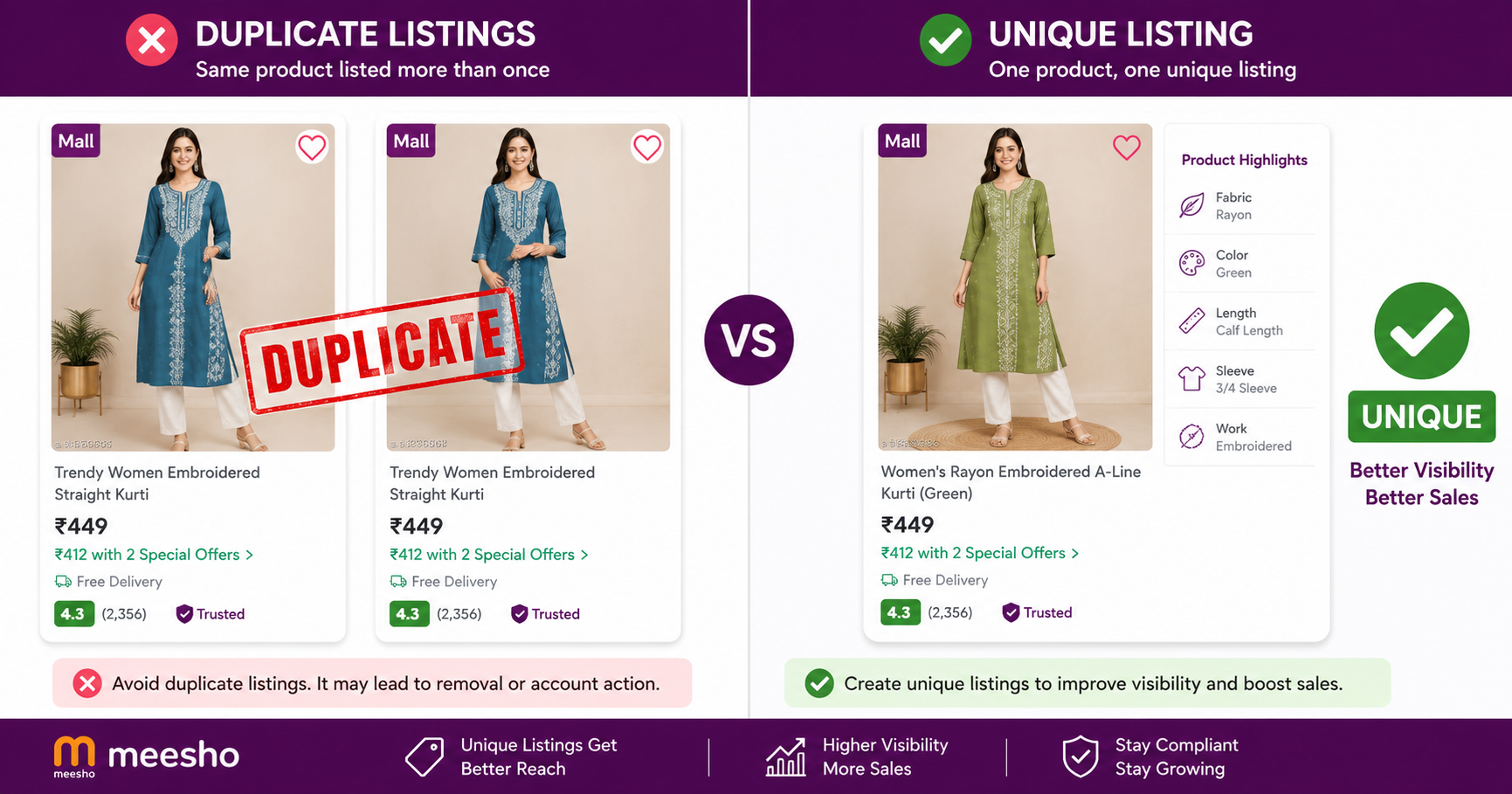
Key Takeaways
- Meesho rejects duplicate listings instantly — wasting your time on photography, descriptions, and pricing
- Duplicates are detected by image hash, title similarity, and catalog ID — not just exact matches
- VariantStudio's duplicate checker scans your product against Meesho's catalog before you upload
- Checking before listing saves 15–30 minutes per rejected product
- Use the Listing Automation tool with built-in duplicate detection
Why Meesho Rejects Duplicate Listings
Meesho maintains a single-catalog system — each unique product should exist only once in their database. When you try to list a product that already exists (even with different photos or slightly modified titles), Meesho's algorithm flags it as a duplicate and rejects the listing.
The rejection happens after you've already done all the work:
- Photographed the product (15–20 minutes)
- Written title, description, and attributes (10–15 minutes)
- Set pricing and shipping details (5 minutes)
- Uploaded everything to the portal (5 minutes)
That's 35–45 minutes wasted per rejected listing. If you're listing 20 products and 8 get rejected as duplicates, you've lost 4–6 hours of work. This is the single biggest time-waster for new Meesho sellers.
How Meesho's Duplicate Detection Works
Meesho uses multiple signals to detect duplicates:
1. Image Hash Matching
Meesho generates a perceptual hash of every product image in their catalog. When you upload a new image, it's compared against existing hashes. Even if you crop, rotate, or slightly edit an existing image, the hash similarity will trigger a duplicate flag.
What triggers it:
- Using supplier images that other sellers already uploaded
- Downloading images from Meesho and re-uploading them
- Minor edits (brightness, contrast) to existing catalog images
- Screenshots of products from other platforms
2. Title Similarity
Meesho's NLP model compares your product title against existing titles. Titles with 70%+ word overlap for the same category trigger review. Simply rearranging words or adding filler doesn't bypass this.
Example: "Women Blue Cotton Kurti Printed A-Line" vs "Printed Blue Cotton A-Line Kurti for Women" — both would be flagged as potential duplicates.
3. Catalog ID / SKU Matching
If you're listing from a supplier who already has products on Meesho, the underlying catalog ID may already exist. This is common when sourcing from large wholesalers who supply multiple Meesho sellers.
4. Attribute Combination
Same brand + same material + same color + same size range in the same sub-category raises duplicate probability even if images are original.
The Cost of Not Checking for Duplicates
| Scenario | Time Lost | Monthly Impact (50 listings) |
|---|---|---|
| No duplicate checking | ~40 min per rejection | 10–15 hours wasted (at 30% rejection rate) |
| Manual checking (search Meesho) | ~5 min per product | 4 hours checking + 2 hours on remaining rejections |
| Automated duplicate detection | ~10 seconds per product | 8 minutes total + near-zero rejections |
How to Check for Duplicates Before Listing
Method 1: Manual Search on Meesho (Free, Slow)
- Go to meesho.com and search for your product keywords
- Browse through results looking for identical or very similar products
- Check if the same supplier images appear in existing listings
- If you find a match, don't list — find a different product or take original photos
Limitations: Meesho's search doesn't show all catalog items. A product might exist in the catalog but not appear in search results. You can still get rejected even after manual checking.
Method 2: VariantStudio Duplicate Detector (Recommended)
The VariantStudio Listing Automation includes built-in duplicate detection that runs before upload:
- Upload your product image to VariantStudio
- The system checks the image against Meesho's catalog using the same perceptual hashing
- Title similarity is checked against existing listings in your category
- You get a confidence score: Green (safe to list), Yellow (possible match — review), Red (definite duplicate — don't list)
- Only green-flagged products proceed to the listing workflow
How it works technically:
- Image is uploaded to Meesho's CDN via their API
- The CDN response includes catalog match data
- VariantStudio parses this response to determine duplicate probability
- Results are shown before you invest time in descriptions and pricing
Method 3: Reverse Image Search (Partial Coverage)
Use Google Lens or TinEye to check if your product images already appear on Meesho. This catches cases where supplier images are widely distributed but misses Meesho-internal catalog matches.
What to Do When Your Product IS a Duplicate
If the duplicate checker flags your product, you have three options:
Option 1: Take Original Photos
If the product itself is unique (your own stock, different variant), take completely original photos. Use a different background, angle, and styling than existing listings. This bypasses image hash matching.
Option 2: Find a Different Product
If the exact same product already exists on Meesho from another seller, listing it again won't help you anyway — you'd be competing against an established listing with reviews. Find a differentiated product instead.
Option 3: Create a Bundle or Variant
Combine the product with another item (combo pack) or offer a genuinely different variant (different color, size set, or material) that doesn't exist in the catalog. This creates a legitimately new listing.
Best Practices to Avoid Duplicate Rejections
- Always use original photography — never download and re-upload images from any platform
- Check before you shoot — run the duplicate check on a sample image before investing in a full photoshoot
- Write unique titles — don't copy titles from existing Meesho listings or supplier catalogs
- Source unique products — if your supplier sells to 50 other Meesho sellers, their products are likely already listed
- Differentiate with bundles — combo packs and multi-piece sets are less likely to match existing single-item listings
- Track your rejections — maintain a list of rejected products so you don't accidentally retry them
Frequently Asked Questions
Q: Can I list the same product as another seller if I take my own photos?
Sometimes yes, if your photos are genuinely original and the product has enough variation (different packaging, slightly different design). But if it's the exact same SKU from the same manufacturer, Meesho may still flag it based on attribute matching. The safest approach is to list products that are genuinely unique to your inventory.
Q: Why was my listing rejected when I can't find the duplicate on Meesho?
Meesho's catalog is larger than what's visible in search. Products can exist in the catalog from sellers who are inactive, out of stock, or in different regions. The duplicate exists in the backend even if you can't see it as a buyer.
Q: How long should I wait before trying to list a rejected product again?
Don't retry the same product without changes — it will be rejected again. If you've taken completely new original photos and rewritten the title/description, you can try again immediately. But if the rejection was based on catalog ID matching, no amount of photo/title changes will help.
Q: Does the duplicate checker work for all categories?
Yes, VariantStudio's duplicate detection works across all Meesho categories. However, accuracy is highest for fashion (clothing, footwear, accessories) where image matching is most reliable. For generic items (plain boxes, basic tools), false positives are slightly higher.
Q: Can I appeal a duplicate rejection?
Meesho doesn't have a formal appeal process for duplicate rejections. Your best option is to modify the listing (new photos, different title, adjusted attributes) and resubmit. If you believe it's a false positive, contact Meesho seller support with evidence that your product is genuinely different.
Conclusion
Duplicate rejections are the #1 time-waster for Meesho sellers who list frequently. The solution is simple: check before you list. A 10-second automated check saves 40 minutes of wasted work per rejection.
Start using the VariantStudio Listing Automation with built-in duplicate detection — it checks every product before upload so you never waste time on listings that will be rejected.
Last updated: May 2026. Duplicate detection behavior verified against current Meesho Supplier Panel catalog submission flow.