How to Generate 100 Meesho Product Variants in 2 Minutes (And Find the Cheapest Shipping)
By Divyanshu Jain · 6 March 2026
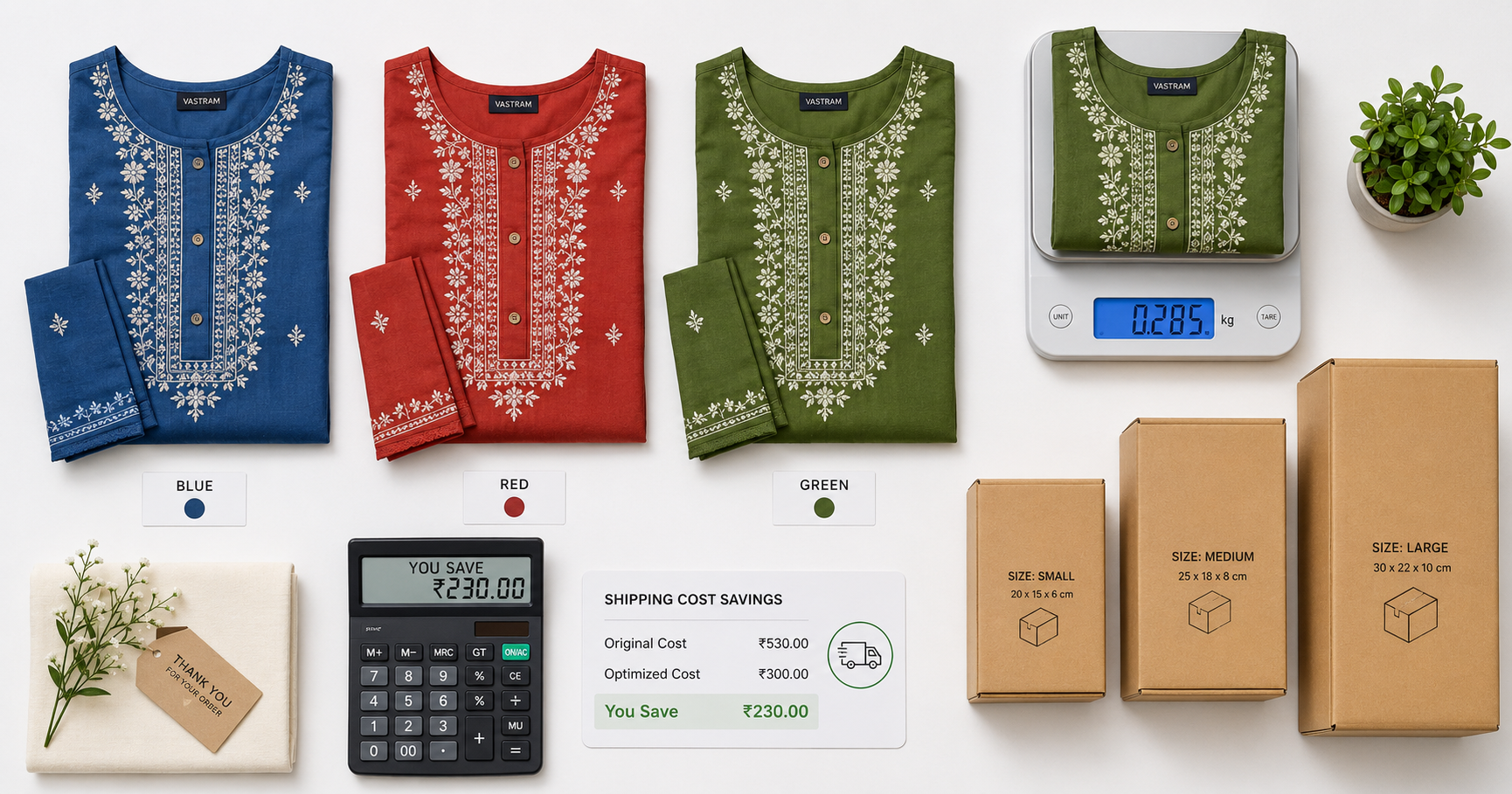
Key Takeaways
- Meesho requires separate listings for each size/color variant — 1 product with 5 sizes × 4 colors = 20 listings
- Manual variant creation takes 5–8 minutes per variant; automation does 100 variants in under 2 minutes
- Each variant has different shipping costs based on weight — choosing the right size/weight combo saves ₹15–36 per order
- VariantStudio auto-generates all variant combinations with optimized shipping estimates
- Use the Listing Automation tool to bulk-generate variants instantly
The Variant Problem on Meesho
Unlike Amazon or Flipkart where variants (sizes, colors) are grouped under one parent listing, Meesho treats each variant as a separate catalog entry. A single kurti available in S, M, L, XL, XXL and 4 colors requires 20 individual listings — each with its own title, description, images, pricing, and weight specification.
For a seller with 50 base products averaging 8 variants each, that's 400 listings to create and maintain. Manually, this takes:
| Task | Time per Variant | Time for 400 Variants |
|---|---|---|
| Fill product details | 3 min | 20 hours |
| Upload images | 2 min | 13 hours |
| Set pricing & weight | 1 min | 7 hours |
| Review & submit | 1 min | 7 hours |
| Total | 7 min | 47 hours |
That's nearly 6 full working days just to list variants. And if you need to update pricing or descriptions later, multiply again.
How Variant Generation Works in VariantStudio
The Listing Automation tool generates all variant combinations automatically:
Step 1: Define Your Base Product
Enter the product details once — title template, description, category, brand, material, and base images.
Step 2: Specify Variant Axes
Select which attributes vary:
- Size: S, M, L, XL, XXL, Free Size, or custom sizes
- Color: Select from Meesho's approved color list or enter custom colors
- Pack size: Single, Pack of 2, Pack of 3, Combo
- Material variant: Cotton, Polyester, Rayon, etc.
Step 3: Set Weight Per Variant
This is where shipping optimization happens. Each size/material combination has a different weight, which determines shipping cost:
| Variant | Typical Weight | Shipping Slab | Shipping Cost |
|---|---|---|---|
| Kurti - Size S (Cotton) | 180g | 0–500g | ₹42 |
| Kurti - Size XXL (Cotton) | 280g | 0–500g | ₹42 |
| Kurti - Size S (Rayon, heavy) | 220g | 0–500g | ₹42 |
| Kurti - Size XXL (Rayon, heavy) | 380g | 0–500g | ₹42 |
| Kurti Set (Kurti + Dupatta) - S | 350g | 0–500g | ₹42 |
| Kurti Set (Kurti + Dupatta) - XXL | 520g | 500g–1kg | ₹65 |
Notice how the XXL kurti set crosses into the next shipping slab — that's ₹23 extra per order. VariantStudio flags these boundary cases so you can adjust packaging or pricing accordingly.
Step 4: Generate All Combinations
Click "Generate Variants" and the tool creates every combination with:
- Unique title per variant (e.g., "Women Blue Cotton Kurti - Size M")
- Correct weight and dimensions for each size
- Shipping cost estimate per variant
- Profit margin calculation per variant (accounting for size-specific costs)
- Image assignment (same images or size-specific images)
Step 5: Review and Upload
Review the generated variants in a spreadsheet-like view. Edit any individual variant if needed, then bulk-upload all variants to Meesho in one click.
Finding the Cheapest Shipping for Each Variant
Shipping cost varies by weight slab and delivery zone. The key insight: not all variants of the same product cost the same to ship. Optimizing per-variant can save significant money at scale.
Weight Slab Boundaries (Meesho 2026)
| Weight Slab | Local | Zonal | National |
|---|---|---|---|
| 0–500g | ₹30 | ₹42 | ₹55 |
| 500g–1kg | ₹45 | ₹58 | ₹75 |
| 1–2kg | ₹60 | ₹78 | ₹100 |
| 2–5kg | ₹80 | ₹110 | ₹150 |
For detailed rates and zone definitions, see our complete shipping charges guide.
Optimization Strategies by Variant Type
Size Variants
Larger sizes weigh more. If your XL/XXL variants push past a weight slab boundary, consider:
- Lighter packaging for larger sizes (poly bag instead of box)
- Slightly higher pricing for larger sizes to offset shipping
- Listing larger sizes separately with adjusted margins
Color Variants
Colors rarely affect weight — all color variants typically ship at the same cost. Exception: dark colors sometimes use heavier dye processes in certain fabrics.
Material Variants
Material significantly affects weight:
- Georgette/Chiffon: lightest (100–150g for a kurti)
- Cotton: medium (180–250g)
- Rayon: medium-heavy (200–300g)
- Silk/Velvet: heaviest (250–400g)
Combo/Pack Variants
Multi-piece packs multiply weight. A "Pack of 3" kurti set at 200g each = 600g, pushing into the next slab. Price combos to account for the higher shipping tier.
Profit Optimization Per Variant
VariantStudio calculates profit margin for each variant individually, because costs differ:
Variant A (Size S, 180g): SP ₹499 − Cost ₹175 − Commission ₹40 − Shipping ₹42 − Packaging ₹12 = ₹230 profit (46%)
Variant B (Size XXL, 520g): SP ₹499 − Cost ₹195 − Commission ₹40 − Shipping ₹65 − Packaging ₹15 = ₹184 profit (37%)
Same product, same selling price — but 9% margin difference between sizes. Without per-variant tracking, you'd never know your XXL variants are significantly less profitable.
Use the Shipping Calculator to estimate costs before creating variants, and the P&L Dashboard to track actual per-variant margins after sales.
Common Mistakes When Creating Variants
Mistake 1: Same Weight for All Sizes
Entering 200g for all sizes when XXL actually weighs 350g. Meesho may charge you the higher slab at settlement if the courier weighs the package differently.
Mistake 2: Not Adjusting Price for Heavy Variants
If your XXL variant costs ₹23 more to ship, either increase its price by ₹25–30 or accept the lower margin. Don't ignore it — at 100 orders/month, that's ₹2,300 in hidden costs.
Mistake 3: Creating Too Many Variants
Listing 50 color options when only 5–8 actually sell creates catalog clutter and dilutes your inventory investment. Start with proven colors (black, blue, maroon, green) and expand based on demand data.
Mistake 4: Inconsistent Titles Across Variants
Meesho's search algorithm works better when variant titles follow a consistent pattern. Use: "[Brand] [Color] [Material] [Product Type] - [Size]" for all variants of the same product.
Mistake 5: Not Using Size Charts
Missing or inaccurate size charts increase returns (and RTO). Each variant listing should reference the same accurate size chart. VariantStudio auto-attaches your size chart to all generated variants.
Frequently Asked Questions
Q: Can I update all variants at once if I need to change the price?
Through Meesho's portal, you must update each variant individually. VariantStudio's bulk edit feature lets you change pricing across all variants of a product simultaneously and push the updates to Meesho.
Q: How many variants can I create per product?
Meesho doesn't have a hard limit, but practically, most products have 10–30 variants (5 sizes × 3–6 colors). Beyond 50 variants, catalog management becomes unwieldy and inventory tracking gets complex.
Q: Should I list all sizes even if I don't have stock for some?
No. Only list variants you can fulfill within 2 days. Listing unavailable sizes and then cancelling orders damages your seller rating and increases your cancellation penalty.
Q: Do variants share the same listing quality score?
Each variant has its own quality score based on its images, title, and description completeness. A poorly filled variant can drag down visibility for the entire product family.
Conclusion
Variant generation is the most time-consuming part of Meesho selling at scale. Automating it saves 40+ hours per month for a typical 50-product catalog, while per-variant shipping optimization can save ₹15–36 per order.
Use the VariantStudio Listing Automation to generate all variants in under 2 minutes, with built-in shipping cost optimization and profit margin calculations per variant.
Last updated: May 2026. Shipping rates and variant creation flow verified against current Meesho Supplier Panel.